

User Guide
Complete guide to using Yipii IoT fleet tracking
User Guide
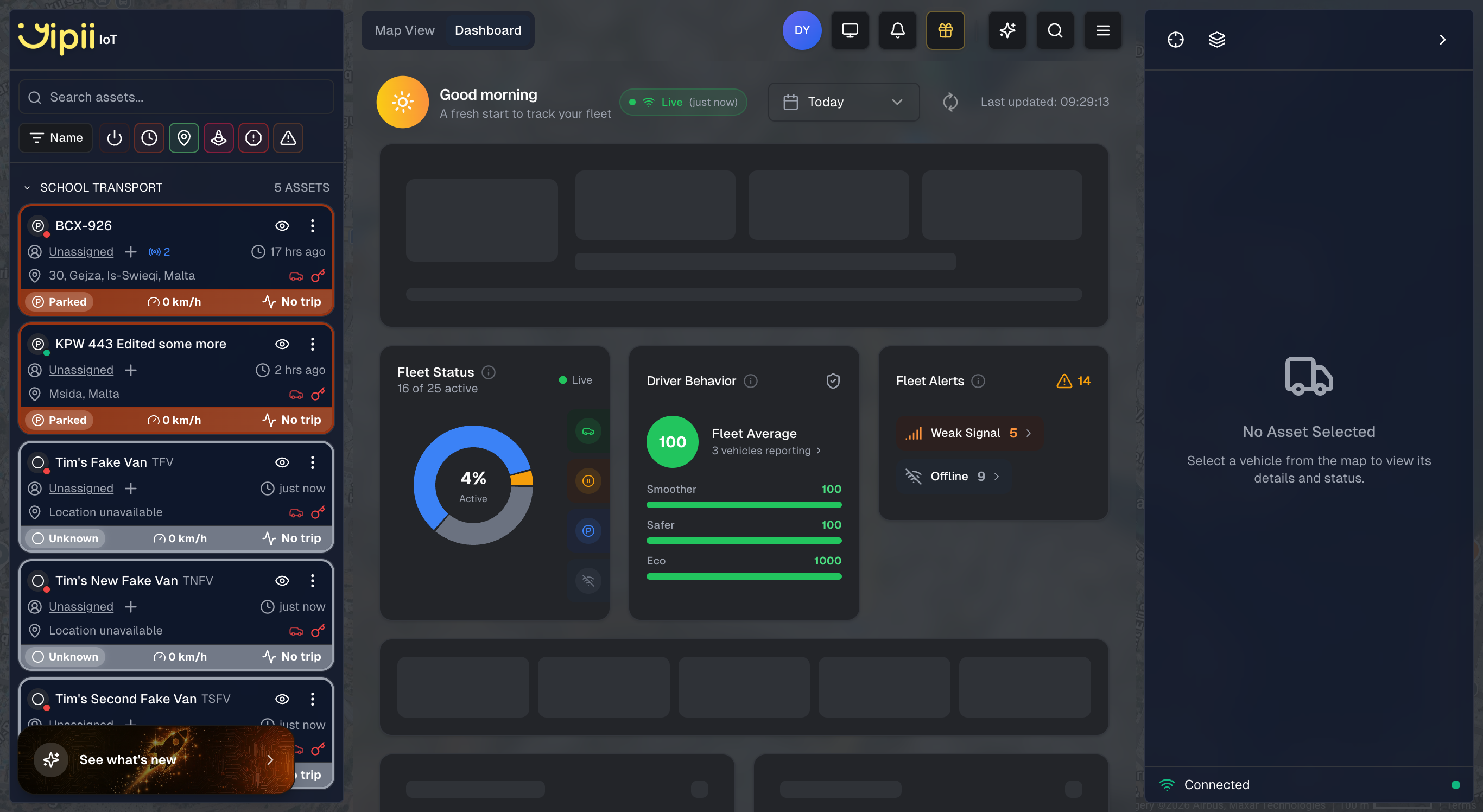
Welcome to the Yipii IoT User Guide. Learn how to use our fleet tracking platform to monitor vehicles, set up alerts, generate reports, and share tracking information with customers.
What is Yipii IoT?
Yipii IoT is a real-time GPS fleet tracking platform that helps you:
- Track vehicles in real-time on an interactive map
- Monitor driver behavior with speed and harsh driving alerts
- Generate reports for trips, mileage, and activity
- Set up alerts for important fleet events
- Share tracking links with customers for delivery visibility
- Manage maintenance with service reminders
Getting Started
New to Yipii IoT? Start here:
| Guide | Description |
|---|---|
| Signing Up | Create your account |
| Logging In | Access your dashboard |
| Forgot Password | Reset your credentials |
Core Features
Monitoring
| Feature | Description |
|---|---|
| Dashboard | Real-time fleet overview with statistics |
| Live Map | Interactive map with all vehicle positions |
| Understanding Statuses | What each vehicle status means |
Fleet Management
| Feature | Description |
|---|---|
| Assets | Manage vehicles and equipment |
| Geofencing | Create virtual boundaries and location alerts |
| Alerts | Configure notifications for 20+ event types |
| Reports | Generate 19 different report types |
| Driver Scoring | Understand driver scores, eco driving, and vehicle health |
Device Setup
| Guide | Description |
|---|---|
| GPS Trackers | Supported trackers, installation, troubleshooting |
| Beacons & Tags | Bluetooth beacons for driver ID and asset tracking |
Settings & Configuration
| Setting | Description |
|---|---|
| Account Settings | Profile and preferences |
| Billing | Subscription and usage management |
| Branding | Custom logo and colors |
Sharing & Collaboration
| Feature | Description |
|---|---|
| Public Tracking Links | Share live tracking with customers |
| User Management | Add team members and manage access |
Quick Start Checklist
For new users, complete these steps to get started:
- Log in to your Yipii IoT account
- Add your first tracker using the QR scanner or IMEI entry
- Create an asset (vehicle) and assign the tracker
- View the live map to see your vehicle's position
- Set up an alert (e.g., speed over 100 km/h)
- Generate a trip report to see where the vehicle has been
Getting Help
- Search the docs using Cmd+K (Mac) or Ctrl+K (Windows)
- Check Solutions for industry-specific guides
- Contact support at support@yipii.com
Platform Highlights
| Capability | Details |
|---|---|
| Supported Trackers | Teltonika (FMB003, FMB120, FMC003, FMC130), Cellocator |
| Alert Types | 20+ including speed, geofence, temperature, maintenance |
| Report Types | 19 including trips, mileage, driver behavior, fuel |
| Geofence Shapes | Circle, polygon, polyline, point |
| Notifications | Email, SMS, WhatsApp |
| Data Retention | 2+ years of historical data |
Was this page helpful?